
That is not a typo. darktable is spelled with a lowercase d. It is an amazing, open source photo editing solution I have been using for some time now. With quite a pedigree and quite a following, darktable has a steep learning curve. In some ways it has made me rethink everything I thought I knew about editing photos.
Like Lightroom, it is non-destructive. darktable creates a database of your images and by default edits are saved in that database. Other workflows are available. Whichever workflow you set up your original files are never touched. Exactly the same method used by Adobe Lightroom. But that is where the similarity ends.
Modular
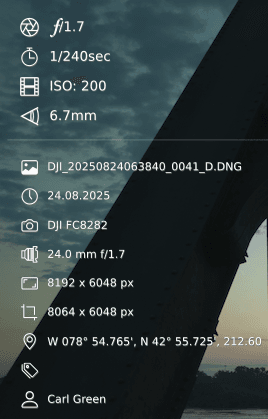
darktable has over 60 separate modules to play with. I recommend the Watermark module, which is so flexible and powerful it is worth a write up of it’s own. You can make your own presets or modify those provided, one of which is a metadata template that pulls shutter speed, ISO, focal length, whatever you want right from the image. No plugins. No configuration, just customize it and make it yours. Saves doing it by hand, eh?
Each darktable module has a distinct function, and can have their own learning curve. Some functionalities overlap. Which modules to use? That’s often personal preference and part of the learning curve. Let’s just say there is little Lightroom can do that darktable cannot. darktable may be a little less user-friendly. It certainly requires more work (it’s rarely the case of moving a slider or two) but the upside is greater control.
Noise
One example where darktable stands head and shoulders above Lightroom is image noise management. Raw images can be inherently noisy and a whole industry has arisen around resolving that. Lightroom has basic controls, and recent updates include an AI denoise function. Expensive third-party programs claim to offer solutions, but they really don’t. At least, I have not found one that I am happy with.
darktable, on the other hand? darktable has a dedicated noise profile module which contains built-in profiles for almost every camera you can think of. At every ISO. If your camera is not there, you can take some photos and send in to the darktable developer community and they might make one. Free. Let that sink in. When I open a raw image from my Canon EOS 90D darktable applies the appropriate noise profile for that camera and ISO. I can override it manually, of course, if I need to tweak it using some highly advanced algorithms. But I rarely do. The day I side-by-side compared raw image noise in Lightroom and darktable was the day I decided to jump. My jaw almost literally hit the ground. Even before any denoise is applied the raw images look better in darktable. And I know what you are thinking, no, it isn’t my Adobe raw defaults. I’ve spent years refining those without success. Mainly for this reason.
Example
As a practical example let’s use the image below. Drones are not great in low light, as in pre-dawn. Images can be poor. Though Lightroom allegedly has profiles for my drone sensor the colors are always wrong. The LUT from the vendors web site does not always help, either. Add to that the already mentioned and widely acknowledge poor noise management of Lr and you see why I chose this image for an example. It’s about as extreme as it gets. darktable has generic noise noise profiles for my drone sensor. And they work. The untouched raw image is on the left. It’s dark and muddy and has areas of complete black with a lot of noise. It was sunrise, not the best time for a drone sensor, but still. Now look at the detail in the darktable edited image on the right. darktable pulled up the shadows without adding or revealing excessive noise. The bridge infrastructure and tracks are clearly visible in sharp detail. Higlights are not blown. The sky colours are as I remember them, darktable does a phenomenal job on colour management and subtle shades, not a strong point for Adobe. You can even see the reflected rising sun on the metal train tracks in the distance.
Try as I could I could not achieve the same result in Lightroom. I simply like the darktable version far better. Now take into account the time I spent in Lightroom aiming for acceptable results. darktable did this in minutes. For these reasons, for some images, darktable is now my default photo editor. If I think an image deserves some extra love, darktable is the first stop.
The more I play with darktable the more I find to like. I look forward to the day when I can make it my default editor. That day approaches ever closer. And the image below shows why. If you would like to find out more about darktable and discover whether it’s a rabbit hole you might want to jump into, visit their web site here. It’s free. This recommendation is unsolicited, unpaid and I get nothing from it beyond sharing what I think is a sadly underrated powerhouse of an editing system. Check it out.